
Your PS5 runs the language model Every device on your network uses it
llama.cpp on the console's GPU, with OpenAI and Anthropic APIs and a screen made for the TV. No PC, no cloud, no account.
llama.cpp on the console's GPU, with OpenAI and Anthropic APIs and a screen made for the TV. No PC, no cloud, no account.
A PS5 Slim, every layer on its GPU, with 11.4 GB of the shared memory for the model and its context
Swipe the table to see the speeds
| Model | Size | On a PS5 Slim |
|---|---|---|
| Qwen 3.5 0.8B, Q4_K_M | 0.5 GB | 207 tokens a second |
| Qwen 3.5 9B, Q4_K_M | 5.3 GB | 55 tokens a second |
| Qwen 3.8 27B, UD-Q2_K_XL | 9.2 GB | about 20 tokens a second, 64k context |
| d1 Omni 600M, a decision model | 1.1 GB | 3 questions in 0.3 s |
A 720p image and seven questions take d1 Omni 600M 2.9 s. Generation is bound by memory bandwidth: the 9B model reads its weights at about 70% of the GPU's 448 GB/s.
Five pages you move between with L1 and R1, all in reach of the DualSense
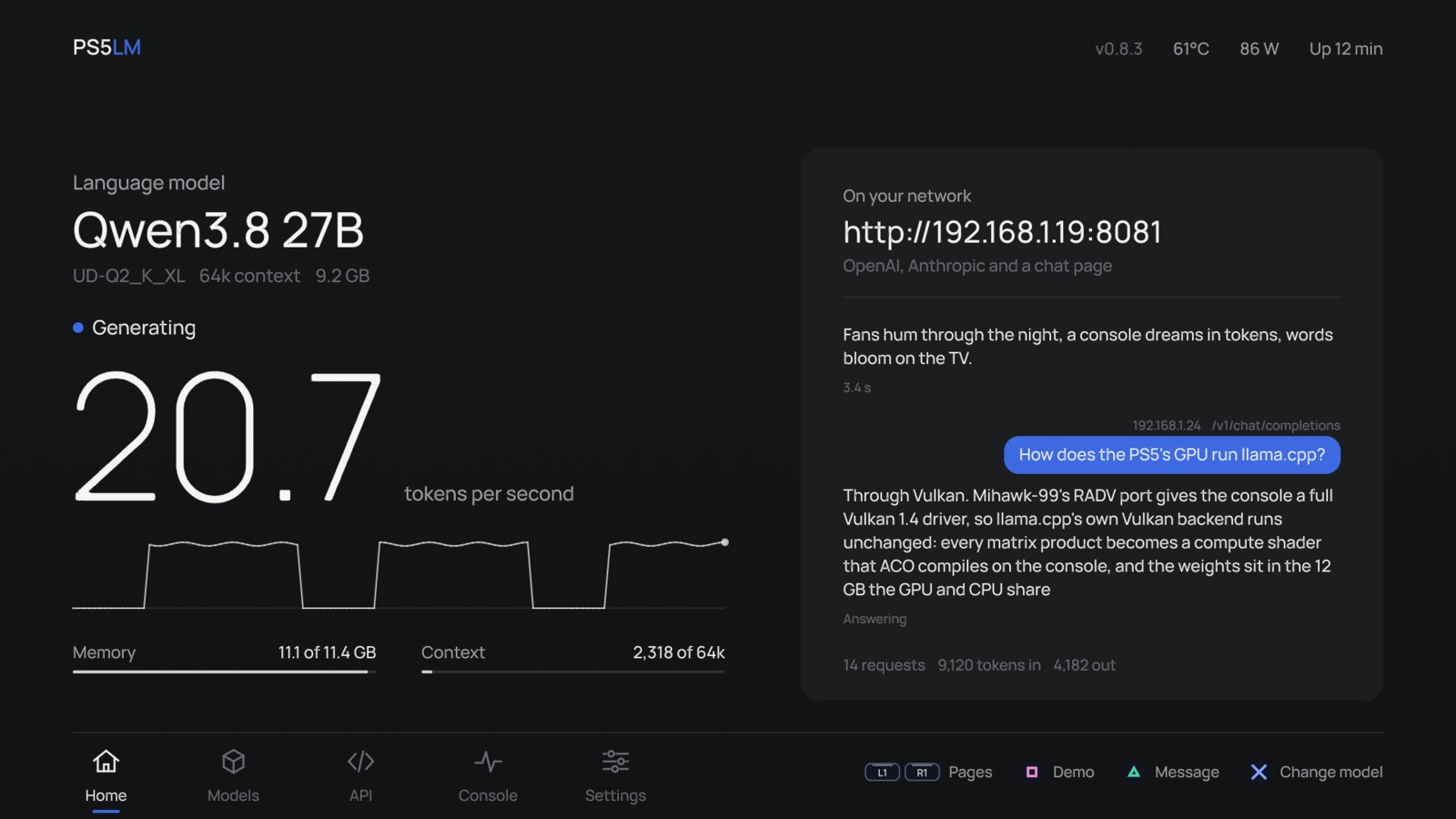
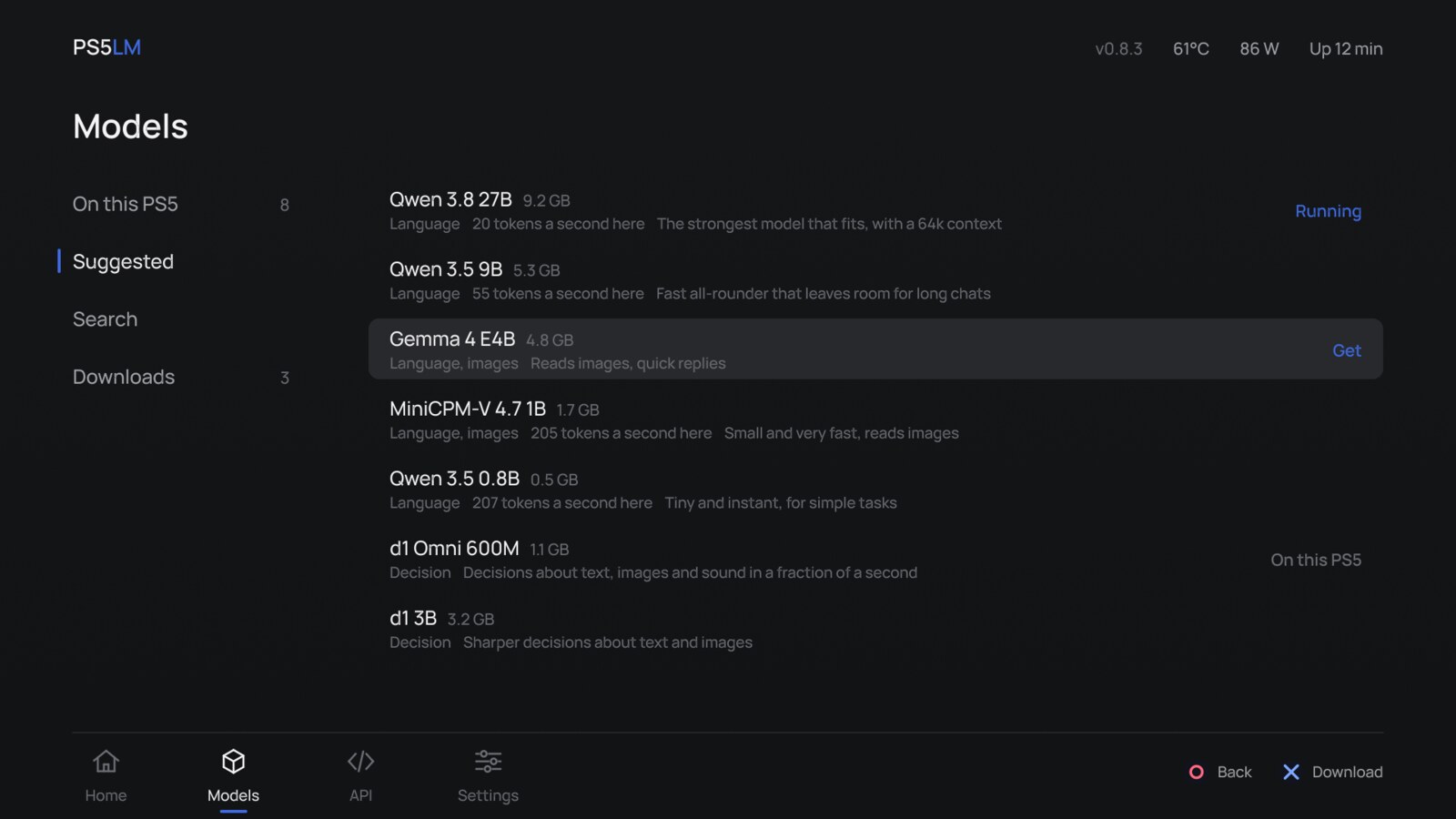
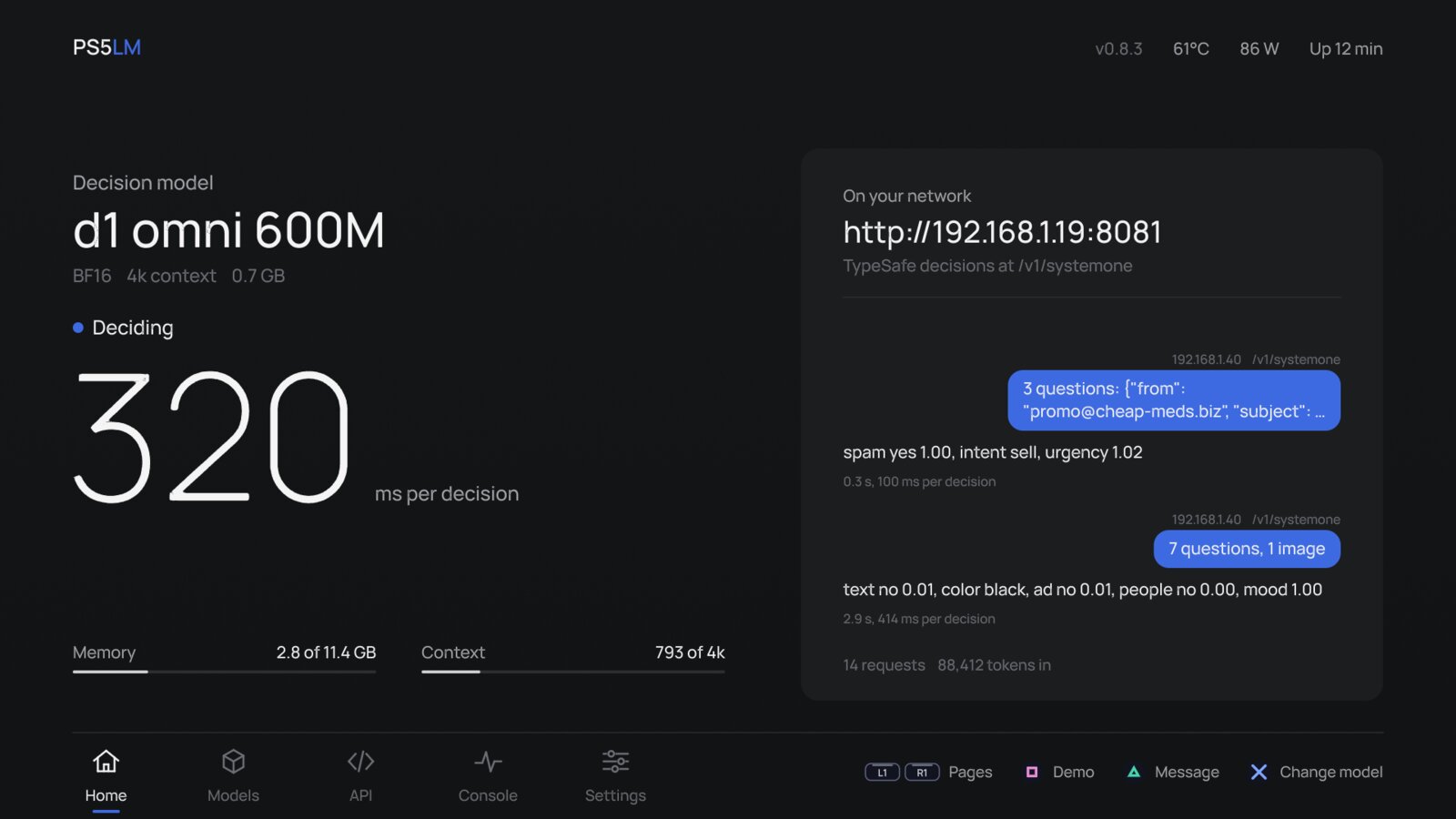
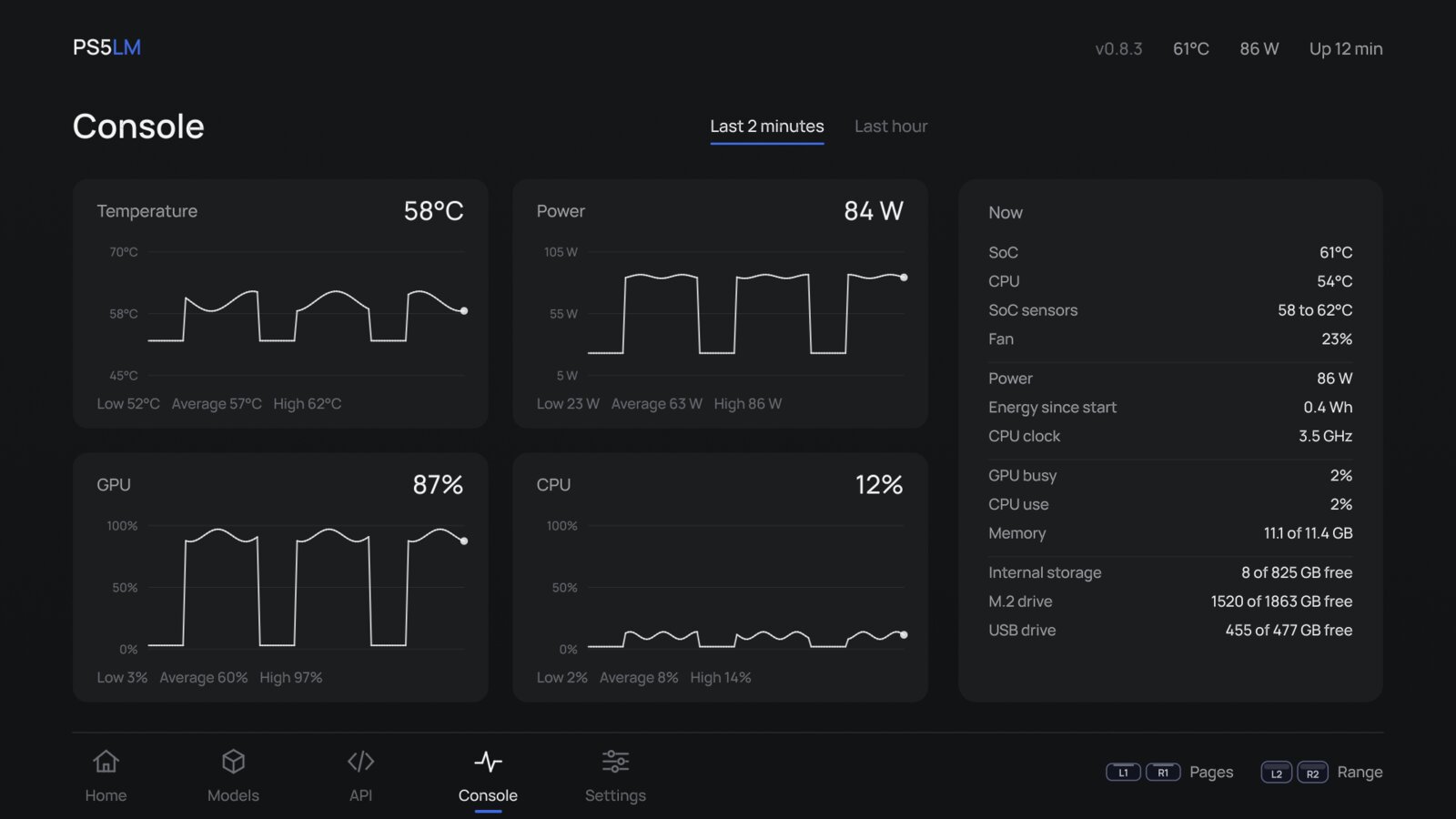
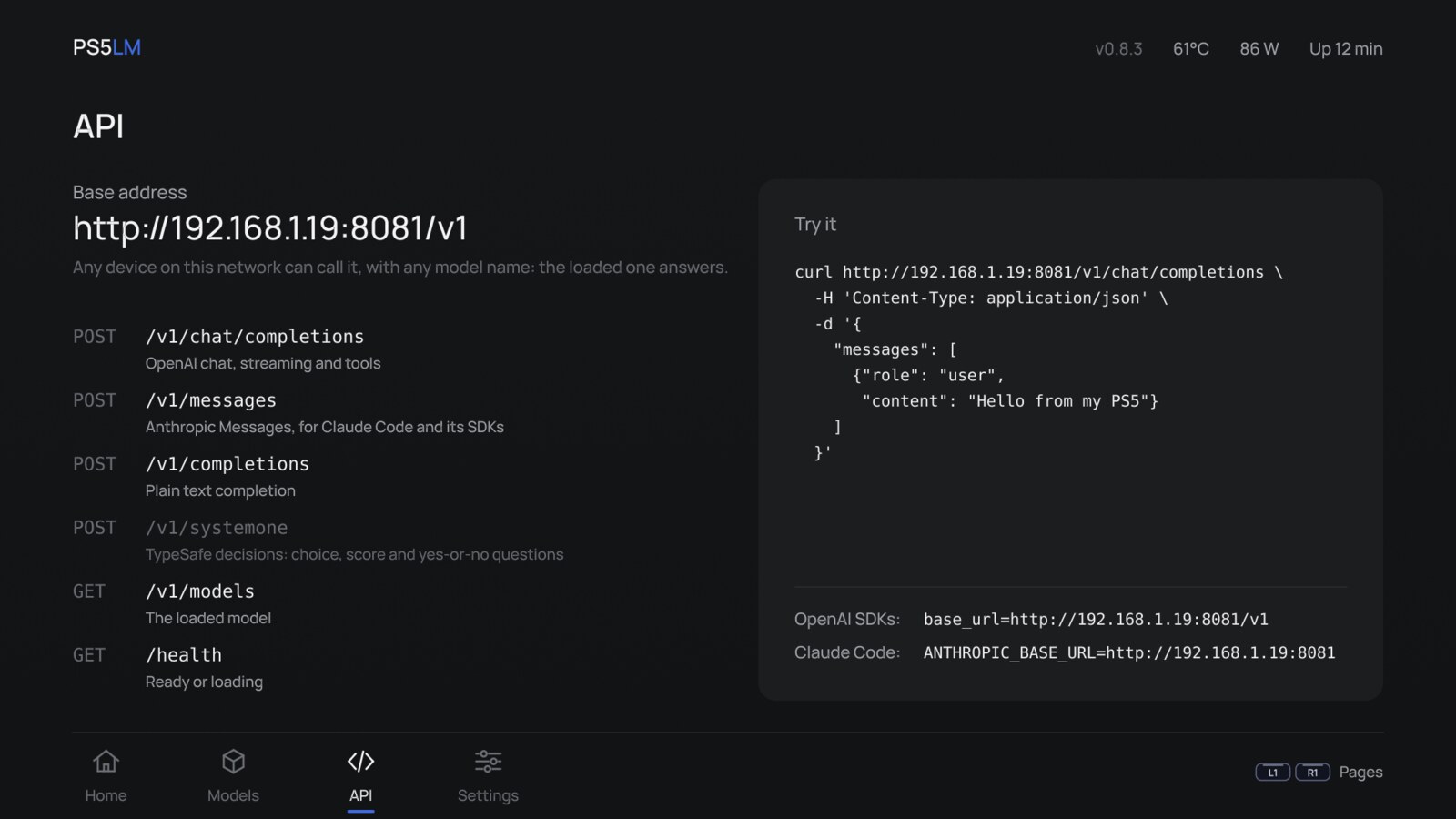
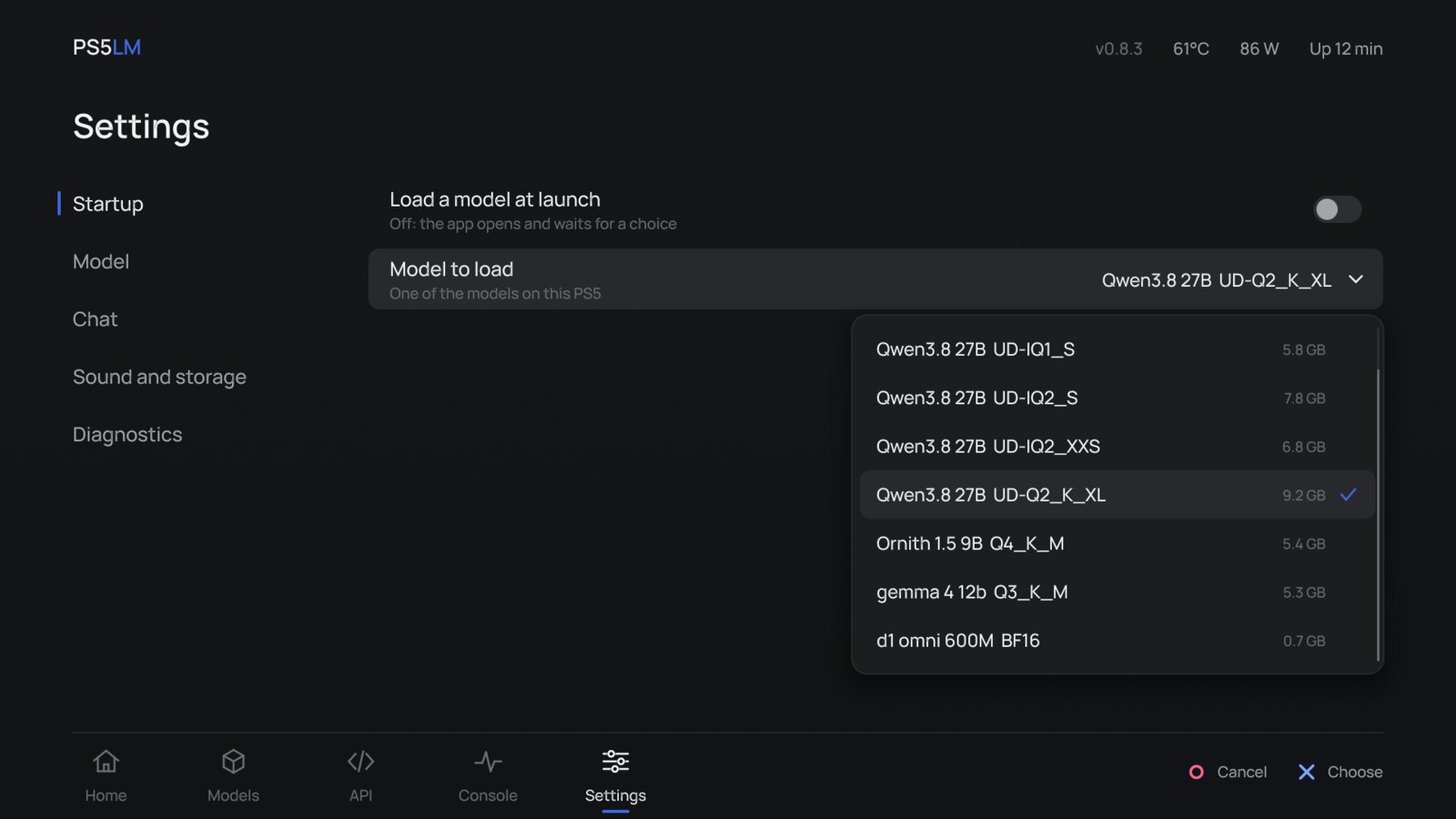
Once Home says Ready, the console answers on port 8081. The model name in a request is ignored: the loaded one answers.
# the address Home shows on the TVPS5=http://192.168.8.53:8081 curl $PS5/v1/chat/completions \ -H 'Content-Type: application/json' \ -d '{"model": "ps5", "messages": [ {"role": "user", "content": "Hello from my laptop"}]}'curl $PS5/v1/systemone \ -H 'Content-Type: application/json' \ -d '{"state": "Charged twice. Refund me.", "questions": { "intent": {"type": "choice", "instructions": "What does the customer want?", "criteria": {"refund": null, "information": null, "cancel": null}}, "angry": {"type": "noul", "instructions": "Is the customer angry?"}}}'Decision models are powered by Ollaya, which runs them on a PC the way Ollama runs language models: one forward pass, no text generated. The Suggested list has d1 Omni 600M, d1 3B and Clef Flash. Claude Code, opencode and codex setups are in docs/CLI.md.
A PS5 on firmware 7.00 to 13.60, jailbroken, with these payloads loaded
| Payload | For | Needed |
|---|---|---|
| kstuff-lite | The kernel patches homebrew runs on | Required |
| etaHEN | Homebrew support | Required |
| ShadowMountPlus | Puts PS5LM on the home screen from /data/homebrew | Required |
| elfldr | Temperature, power and real free space; full-speed downloads, through the app's own ftpsrv | Recommended |
| ftpsrv | Installing the app, copying models from a PC; downloads write through it when it runs | Recommended |
ps5lm-app-vX.Y.Z.zip from the latest release, and unzip itPPSA99575 folder to /data/homebrew over FTP. ShadowMountPlus adds PS5LM to the home screen.gguf to /data/PS5LM/models or to PS5LM/models on a USB drivehttp://<console>:8081 in a browser, or point your client at itTo update, copy the new folder over the old one: settings, models and downloads stay in /data/PS5LM. If the app says it cannot write to /data/PS5LM, the HEN has not opened storage to it; the fix for each HEN is in the README.
What people ask before they install it
POST /v1/introspect returns the logits where you ask, the top candidates and one layer's activations, and can zero, scale or add to a channel. It is off by default, under Settings > Developer: docs/INTROSPECTION.md.Free and open source, for a jailbroken PS5 you own on firmware 7.00 to 13.60
Get the app